
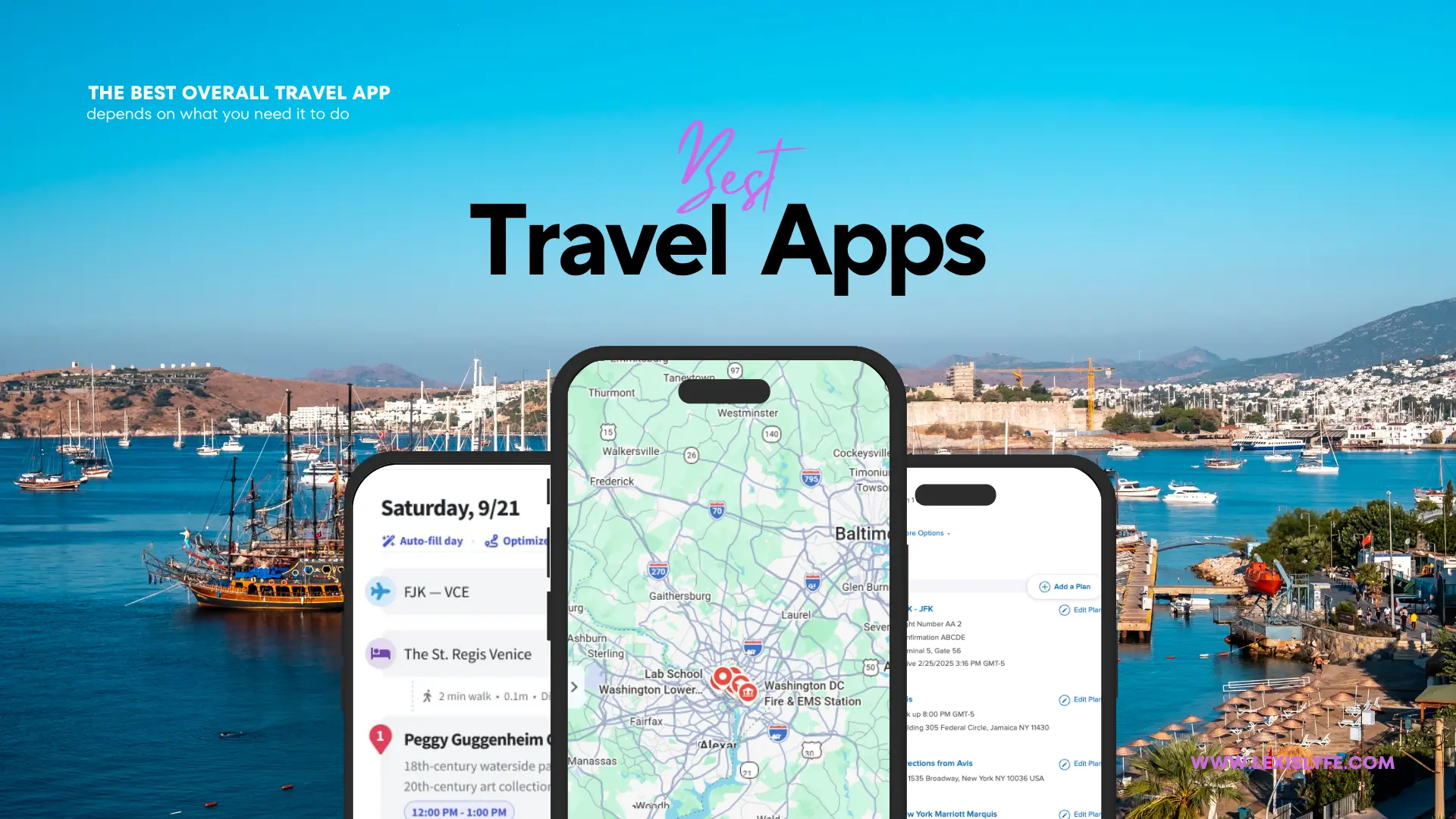
Best Travel Apps: 25 Essential Apps for Planning, Booking & Exploring
Planning a trip involves more than booking a flight and finding a hotel. You need reliable maps, affordable transportation, language translation, currency conversion, accommodation options, and a way to keep every reservation organized. The right smartphone tools can make these tasks
easier without requiring expensive subscriptions.
The best travel apps in 2026 include Google Maps for navigation, Wanderlog for building itineraries, Skyscanner for comparing flights, TripIt for organizing reservations, Google Translate for communicating abroad, and Airalo for international mobile data. Other useful options
include Booking.com, Rome2Rio, Wise, XE Currency, Splitwise, and GetYourGuide. This guide compares 25 useful apps, explains their free and paid features, highlights offline capabilities, and recommends practical combinations for different types of travelers. You’ll also learn which apps are worth installing before departure and how to avoid unnecessary subscriptions.
25 Best Travel Apps in 2026 at a Glance
The best overall travel app depends on what you need it to do. Some apps help you find affordable flights, others organize reservations, and some become essential once you reach your destination.
App | Best for | Free option |
|---|---|---|
Google Maps | Navigation and local discovery | Yes |
Wanderlog | Building itineraries | Yes |
TripIt | Organizing reservations | Yes |
Skyscanner | Comparing flights | Yes |
Google Flights | Flight research | Yes |
Booking.com | Hotels and accommodation | Yes |
Airbnb | Vacation rentals | Yes |
Expedia | Travel packages | Yes |
Rome2Rio | Comparing transportation | Yes |
Uber | Ride-hailing | Yes |
Bolt | Local transportation | Yes |
Citymapper | Public transportation | Yes |
Google Translate | Language translation | Yes |
DeepL | Detailed translations | Yes |
Wise | International money management | Yes |
XE Currency | Currency conversion | Yes |
Splitwise | Sharing trip expenses | Yes |
Airalo | International eSIMs | App is free; data costs extra |
Holafly | International mobile data | App is free; plans cost extra |
International communication | Yes | |
GetYourGuide | Tours and activities | Yes |
Klook | Attraction tickets | Yes |
AllTrails | Hiking and outdoor activities | Yes |
Organic Maps | Offline navigation | Yes |
1Password | Password and account security | Paid plans |
Free option means the app can be downloaded or used without an initial subscription. It does not mean every service, booking, activity or feature is free.
1. Google Maps: Best Overall Travel App
Google Maps
Best Overall
FREE
Android
iOS
Web
Google Maps is one of the most useful apps to install before traveling because it combines directions, local business information, reviews, saved places and transportation guidance.
You can search for restaurants, hotels, museums, pharmacies, shopping areas and attractions. Saving important locations before departure makes it easier to find them when you arrive.
One particularly useful feature is offline mapping. Download the area you intend to visit before leaving your accommodation.
Google explains that offline maps can provide driving navigation when the entire route falls within the downloaded area. However, offline public transit, walking and cycling directions are unavailable.
Best for: Almost every traveler, particularly people exploring unfamiliar cities.
2. Wanderlog: Best Travel Itinerary Planner
Wanderlog
Best itinerary planner

FREE
Subscription
Wanderlog is particularly useful for people who want to organize an entire trip in one place.
Instead of keeping destinations in separate notes, you can build a day-by-day itinerary, add attractions, organize accommodation details and visualize locations on a map.
Its collaborative features are especially helpful for group vacations. Friends can contribute destinations, review plans and coordinate activities.
For example, imagine planning a five-day vacation in London. You can organize museums, restaurants, shopping areas and sightseeing activities by day, then check their locations to avoid unnecessary travel.
Best for: Families, couples, groups of friends and travelers planning multi-day vacations.
3. TripIt: Best for Organizing Travel Reservations
TripIt solves a different problem from Wanderlog. Rather than primarily building a sightseeing plan, it organizes reservations that you have already made.
You can forward confirmation emails to TripIt, allowing it to create a consolidated itinerary containing important travel details.
TripIt

FREE
Pro: $49/year
TripIt Pro currently lists a price of $49 per year. Its premium features include real-time flight alerts, alternative flight information, seat tracking and fare monitoring.
Best for: Frequent travelers, business travelers and people who book through multiple providers.
4. Skyscanner: Best for Comparing Flight Prices
Skyscanner helps travelers compare airfare from different airlines and travel booking providers.
Its flexible destination and date searches are especially useful when you have a limited budget and can adjust your travel dates.
Skyscanner

FREE
Booking costs vary
For example, if you want to fly from New York to Europe but have not selected a destination, flexible searches can help you identify potentially cheaper options.
Always compare the final price, including baggage, seat selection, payment charges and cancellation conditions. A low advertised fare is not necessarily the cheapest completed booking.
Best for: Budget travelers, international tourists and people with flexible schedules.
5. Google Flights: Best for Flight Research
Google Flights

FREE
Web Based
Google Flights is an excellent research tool for comparing flight dates, routes and fares.
Its date grid and price-tracking features can help identify cheaper travel periods.
You can compare different departure airports, destinations and connecting routes before deciding where to book.
One distinction matters: Google Flights is primarily a flight-search and comparison service. It generally directs users to airlines or travel providers to complete purchases.
Best for: Travelers comparing international airfare and flexible travel dates.
6. Booking.com: Best for Hotel Reservations
Booking.com is a popular accommodation platform for travelers who want to compare hotels, apartments, guesthouses and other properties.
Its filters make it easier to narrow results according to location, price, property type and available amenities.
Booking.com

FREE APP
Prices Vary
Read the cancellation conditions carefully. A refundable booking may cost more than a nonrefundable reservation, and the lowest displayed price may exclude taxes or other charges until checkout.
Best for: International tourists, families and travelers who prefer comparing multiple accommodation options.
7. Airbnb: Best for Vacation Rentals
Airbnb

FREE APP
Prices Vary
Airbnb is useful when you want an apartment, private room, vacation home or distinctive accommodation instead of a traditional hotel.
Some properties offer kitchens, laundry facilities and additional space, which can be valuable during longer vacations.
Check the complete checkout price, cleaning charges, service fees, house rules and cancellation policy before confirming.
Best for: Families, longer stays, groups and travelers seeking residential-style accommodation.
8. Expedia: Best for Bundling Travel Bookings
Expedia brings different travel-booking categories together, including flights, accommodation and rental cars.
Its package options can be convenient for travelers who prefer researching several components of a vacation through one provider.
Expedia

FREE APP
Prices Vary
However, compare package prices with separate bookings before deciding. Convenience does not automatically mean savings.
Best for: Travelers planning larger vacations and comparing bundled travel options.
9. Rome2Rio: Best for Comparing Transportation
Rome2Rio

FREE APP
Transport Fee
Rome2Rio helps travelers discover different ways to travel between two destinations.
You can compare possible train, bus, ferry, flight and driving routes, depending on the destination and available transport information.
For instance, if you are traveling from Paris to Amsterdam, the service can help you explore different transportation possibilities.
Use it as a research starting point, then confirm departure times, prices and availability with the actual operator.
Best for: International travelers, backpackers and people planning multi-city vacations.
10. Uber: Best for Convenient Ride-Hailing
Uber is useful for arranging rides in locations where the service operates.
It can be convenient when traveling between airports, hotels, restaurants and tourist attractions.
Before confirming a ride, check the pickup location, estimated fare, vehicle category and destination.
Uber

FREE APP
Pay Per Ride
Availability and local regulations differ between countries and cities.
Best for: Travelers who want app-based transportation rather than negotiating local taxi fares.
11. Bolt: Best Alternative Ride-Hailing App
Bolt

FREE APP
Pay Per Ride
Bolt offers ride-hailing and other mobility services in supported markets.
It is worth comparing with Uber when both are available because fares, waiting times and vehicle availability can differ.
Best for: Travelers visiting cities where Bolt operates, particularly in parts of Europe.
12. Citymapper: Best for Public Transportation
Citymapper helps travelers understand local public transportation networks.
Depending on the city, it can provide information about buses, trains, metro services, walking and cycling.
It is especially useful when visiting large urban areas where public transportation is more practical than renting a car.
Citymapper

CORE APP FREE
* Selected Cities
Best for: City breaks, commuters and travelers who want to reduce transportation expenses.
13. Google Translate: Best for Language Translation
Google Translate

FREE
Android
iOS
Web
Google Translate can help travelers communicate in unfamiliar languages.
You can type phrases, translate conversations, use voice input and translate text through your phone’s camera in supported languages.
This is particularly helpful when reading restaurant menus,
transportation instructions, street signs and basic travel information.
You can also download supported language packs before departure to use translation without an internet connection.
Best for: International travelers, especially those visiting destinations where they do not speak the local language.
14. DeepL: Best for Detailed Translation
DeepL is another translation option that can be useful for understanding longer written messages and communicating more naturally.
It is worth comparing its translations with Google Translate, especially when dealing with longer sentences or unfamiliar expressions.
Supported languages and features differ, so check availability before depending on it for a particular destination.
DeepL

Free Tier
* Paid Plans
Best for: Travelers who need more detailed text translation.
15. Wise: Best for International Money Management
Wise can help travelers manage international payments and multiple currencies.
Depending on the country of residence, account eligibility and supported services, users may be able to hold balances, convert money and make international transfers.
Wise

FREE APP
Transaction Fees
Check the fees, exchange rate, card availability, ATM withdrawal limits and local eligibility before traveling.
Best for: Frequent international travelers and people managing money across different currencies.
16. XE Currency: Best Currency Converter
XE Currency

Free Tier
XE Currency helps travelers understand prices in foreign currencies.
For example, someone traveling from the United States to Brazil can use it to convert Brazilian real into US dollars and estimate the cost of meals, accommodation and transportation.
The app can also retain recently updated exchange rates for reference when offline.
Remember that a displayed market exchange rate is not necessarily the rate your bank or payment provider will offer.
Best for: Budget travelers, international shoppers and people visiting multiple countries.
17. Splitwise: Best for Sharing Group Travel Expenses
Splitwise helps friends and families track shared vacation expenses.
Imagine four friends sharing a hotel, meals, rental car and attraction tickets. One person pays for dinner, another pays for transportation, and someone else covers accommodation.
Splitwise

FREE TIER
Paid Features
Rather than calculating everyone’s share manually, you can record expenses and let the app calculate balances.
Best for: Group vacations, couples sharing costs and international backpacking trips.
18. Airalo: Best for International eSIMs
Airalo

FREE APP
Data Packages
Airalo provides digital SIM packages for supported countries and regions.
An eSIM can be convenient because you may be able to install a mobile data plan before leaving home rather than purchasing a physical SIM card after arrival.
Before purchasing, check whether your phone supports eSIM technology, whether it is carrier-unlocked and whether the plan includes the destinations you intend to visit.
Best for: International travelers who want mobile data without relying entirely on hotel Wi-Fi.
19. Holafly: Best for Travelers Who Need More Data
Holafly is another international eSIM provider.
It can be useful for travelers who use mobile data heavily for navigation, video calls, online research and communication.
Holafly

FREE APP
Paid Plans
Compare its destination coverage, plan duration, fair-use conditions, hotspot restrictions, and final cost with Airalo before purchasing.
Best for: Travelers who need a larger data allowance during international vacations.
20. WhatsApp: Best for International Communication

FREE APP
WhatsApp is widely used for messaging, voice calls, video calls and sharing documents.
It is particularly useful when communicating with family, friends, hotels, tour operators and local contacts.
Travelers visiting Brazil, India, Mexico and the UK may find it
especially useful because it is commonly used in everyday communication in these markets.
Travelers visiting Brazil, India, Mexico and the UK may find it especially useful because it is commonly used in everyday communication in these markets.
Remember that it requires an internet connection for online messaging and calls.
Best for: International communication and staying connected with family.
21. GetYourGuide: Best for Tours and Activities
GetYourGuide helps travelers discover and book sightseeing experiences, guided tours, excursions and attraction tickets.
You can compare activities, read customer reviews and explore experiences in different destinations.
For example, someone visiting Rome might use it to research guided tours, museum experiences and sightseeing activities.
GetYourGuide

FREE APP
Paid Activities
Check cancellation rules, ticket validity, meeting points and whether admission is included.
Best for: Sightseeing, guided experiences and pre-booking attractions.
22. Klook: Best for Attraction Tickets and Travel Experiences
Klook

FREE APP
Paid Bookings
Klook offers attraction tickets, transportation options and travel experiences in supported destinations.
It is particularly useful when visiting popular tourist areas in Asia, although its services extend to other markets.
Compare the final ticket price against the attraction’s official website, especially when considering promotional offers.
Best for: Travelers visiting major attractions and looking for convenient digital tickets.
23. AllTrails: Best for Hiking and Outdoor Adventures
AllTrails is designed for people who enjoy hiking, walking and outdoor exploration.
You can discover trails, review route information and explore community feedback.
Before setting off, check the latest trail conditions, weather,
difficulty, elevation and safety requirements.
AllTrails

FREE TIER
Paid Membership
Do not assume a saved trail is safe or accessible simply because it appears in the app.
Best for: Hikers, nature lovers and outdoor travelers.
24. Organic Maps: Best Free Offline Map Alternative
Organic Maps

FREE
Open Source
Organic Maps is an offline mapping application based on OpenStreetMap data.
It can be useful for travelers who want navigation without depending on continuous mobile connectivity.
Download the necessary map information before departure and check that your destination is covered.
Best for: Budget travelers, hikers and people exploring areas with limited mobile service.
25. 1Password: Best for Protecting Travel Accounts
Travelers frequently use multiple online accounts for airline bookings, hotels, banking, transportation and email.
1Password helps organize passwords and sensitive login information in a secure vault.
It can reduce the temptation to reuse passwords or store credentials in ordinary notes.
1Password

Paid Subscriptions
Best for: Frequent international travelers and people managing multiple travel-related accounts.
Best Free Travel Itinerary Apps
Free travel itinerary apps are useful for organizing reservations,
attractions and daily schedules without immediately paying for a
subscription.
The strongest options serve different purposes.
APP | Main Strength | Best Use |
|---|---|---|
Wanderlog | Map-based itinerary creation | Building daily travel schedules |
TripIt | Reservation Organization | Keeping booking |
Google Maps | Saved places and directions | Organizing sightseeing locations |
Google Calendar | Calendar scheduling | Keeping track of important travel dates |
Organic Maps | Offline navigation | Exploring without mobile data |
Wanderlog vs. TripIt
These two apps are frequently compared, but they are not identical.
Choose Wanderlog if you want to build your trip around destinations, attractions and a visual map.
Choose TripIt if you already have multiple reservations and want them organized into one itinerary.
A practical combination is to use both: Wanderlog for deciding what to do and TripIt for keeping confirmed bookings organized.
Best Travel Apps for Different Types of Travelers
Not everyone needs 25 apps. Your travel style should determine what you install.
Traveler Type | Recommended Apps |
|---|---|
Budget traveler | Skyscanner, Google Maps, XE Currency, Rome2Rio |
International tourist | Google Translate, Airalo, Google Maps, WhatsApp |
Family vacation | Wanderlog, Booking.com, TripIt, Splitwise |
Solo traveler | Google Maps, WhatsApp, TripIt, 1Password |
Backpacker | Organic Maps, Rome2Rio, Wise, booking services |
Business traveler | TripIt, airline apps, Google Maps, 1Password |
Road-trip traveler | Google Maps, Wanderlog, AllTrails |
Group vacation | Wanderlog, Splitwise, WhatsApp |
Hiking enthusiast | AllTrails, Organic Maps |
Frequent flyer | Skyscanner, Google Flights, TripIt, airline apps |
A practical five-stage travel app framework
Instead of installing every recommended application, divide your needs into five stages.
- Plan: Research destinations, flights and activities using Google Flights, Skyscanner and Wanderlog.
- Book: Confirm accommodation, flights and experiences through the appropriate booking services.
- Prepare: Download maps, translation packs, reservations and important documents.
- Travel: Use navigation, transport, communication and currency tools during your journey.
- Protect: Secure accounts, maintain backups and keep emergency information accessible.
This framework reduces unnecessary app duplication while ensuring that important travel tasks have a dedicated solution.
Best Travel Apps for International Trips
International travel introduces challenges that may not exist during domestic vacations. Travelers may encounter different languages, payment systems, mobile networks and transportation services.
A useful international travel app collection should cover five needs.
Navigation: Google Maps or Organic Maps.
Communication: WhatsApp and Google Translate.
Mobile connectivity: Airalo or Holafly.
Money management: Wise and XE Currency.
Reservation organization: TripIt or Wanderlog.
Recommendations for different countries
Destination market | Useful app combination | Important consideration |
|---|---|---|
United States | Google Maps, Uber, Skyscanner, Booking.com | Compare local transport and accommodation |
Brazil | Google Maps, WhatsApp, Google Translate, Wise | Check Portuguese language support and payment acceptance |
India | Google Maps, WhatsApp, translation and locally available transport apps | Check regional availability and local payment requirements |
United Kingdom | Citymapper, Google Maps, Trainline, Skyscanner | Public transport varies by city |
Mexico | Google Maps, WhatsApp, translation and supported ride services | Verify pickup points and mobile coverage |
Pakistan | Google Maps, WhatsApp, translation and locally supported ride services | Check local availability and payment compatibility services |
Cheapest Travel Apps: Which Ones Are Worth Using?
The cheapest travel apps are generally those that provide useful services without requiring subscriptions. Google Maps, Google Translate, Skyscanner, Google Flights, Rome2Rio, XE Currency and Organic Maps are strong starting points.
However, the cheapest app is not always the cheapest travel option.
Travel need | Low-cost starting option | Potential additional cost |
|---|---|---|
Flight research | Google Flights | Flight tickets |
Flight comparisons | Skyscanner | Booking and baggage |
Navigation | Google Maps | Mobile data |
Offline navigation | Organic Maps | None for core app use |
Translation | Google Translate | Mobile data if not downloaded |
Currency conversion | XE Currency | Actual payment conversion fees |
Itinerary organization | Free Wanderlog or Tripit | Optional subscription |
Public transportation | Citymapper | Transport tickets |
Group budgeting | Free Splitwise features | Optional subscription |
Five ways to save money using travel apps
- Compare flight prices on more than one platform before booking.
- Check hotel prices directly with the property as well as through booking platforms.
- Download offline maps and language packs to reduce mobile data usage.
- Compare international eSIM packages with local SIM cards.
- Avoid subscribing to premium apps unless you genuinely need their advanced features.
For travelers on tight budgets, a combination of free applications can handle most everyday travel requirements.
Which Travel Apps Work Offline?
Offline access is one of the most important features to consider when choosing travel apps.
You may lose internet access after landing, while traveling through remote areas or when using an international SIM without an active data package.
App | Offline capability | Preparation needed |
|---|---|---|
Google Maps | Downloaded maps and | Download destination areas |
Google Translate | Supported downloaded language packs | Download languages |
Organic Maps | Offline maps and navigation | Download map data |
TripIt | Access to stored itinerary information | Sync reservations |
XE Currency | Previously updated exchange rates | Update rates before departure |
No normal offline messaging | Requires connectivity |
How to prepare your phone before traveling
- Download maps for your destination.
- Save the languages you expect to use.
- Confirm that your hotel address is available offline.
- Save airline and accommodation confirmation details.
- Store copies of essential travel documents securely.
- Check whether your eSIM or local SIM is activated.
- Charge your phone and consider carrying a power bank.
Do not wait until you arrive at the airport to download essential travel information.
Common Travel App Mistakes to Avoid
Even the best applications cannot guarantee a trouble-free trip. The way you use them matters.
1. Depending on only one navigation app
Keep an alternative offline mapping option available, particularly when traveling through remote areas.
2. Forgetting to download offline information
Installing an application does not automatically mean all its features work without internet access.
Download maps, language packs and reservations before departure.
3. Assuming the cheapest flight is the best deal
Compare baggage allowances, airport locations, layovers, refund conditions and additional charges.
4. Ignoring payment compatibility
An international payment card may not work everywhere. Check your bank’s foreign transaction charges and make sure you have an alternative payment method.
5. Sharing sensitive information carelessly
Avoid storing passport details, payment credentials and account passwords in unsecured notes or public documents.
6. Trusting every booking confirmation without checking
Always confirm important flight, hotel and transportation reservations through the relevant provider.
7. Installing too many overlapping applications
You do not need five mapping apps, four flight trackers and multiple currency converters.
Choose one primary app for each important travel task and keep a backup for critical functions.
How to Choose the Best Travel Apps for Your Trip
Choosing an app should start with your travel requirements, not its popularity.
Before downloading an application, consider the following:
Selection factor | What to check |
|---|---|
Price | Is the core feature free? |
Offline support | Can you use essential features |
Regional availability | Does it work in your destination? |
Compatibility | Does it support your phone and |
Privacy | What personal information does it |
Payments | Does it support your payment method |
Reliability | Are the reviews and recent updates |
Customer support | Can you contact the provider if |
Check app permissions
Some travel apps need access to your location to provide directions. Others may request contacts, camera access or other permissions.
Grant only the permissions needed for the feature you intend to use.
Check recent reviews
Look beyond overall star ratings. Read recent reviews to identify problems involving:
- Booking cancellations.
- Unexpected fees.
- Payment failures.
- Poor customer support.
- Location accuracy.
- App crashes and compatibility.
Check availability before departure
Some applications and services are restricted or unavailable in particular countries.
This matters especially for international travelers using payment services, ride-hailing platforms and mobile data providers.
Frequently Asked Questions
Conclusion
The best travel apps make vacations easier by reducing the time and effort required to organize flights, accommodation, transportation, finances and daily activities.
For most travelers, Google Maps, Wanderlog, Skyscanner, Google Translate and WhatsApp provide a useful starting collection. TripIt is worth considering for frequent travelers, while Wise, XE Currency, Airalo and Splitwise address specific international travel needs.
You do not need every application on this list. Choose the ones that solve genuine problems during your trip, prepare offline information before departure and compare costs before paying for subscriptions.
A small collection of reliable applications can make a significant difference to how confidently and comfortably you travel.